Your party died again Tools Hub
Specs, review context, and planning links before you dive back into the dungeons.
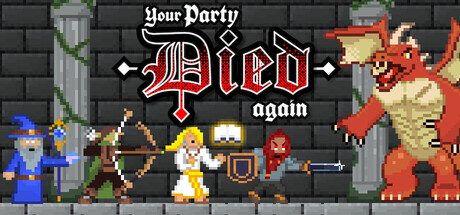
The Tools Hub collects practical reference pages for Your party died again—hardware checks, review framing, and jump links into the rest of the wiki. Use it when you are deciding whether the game fits your PC, how long a clear takes, or where to read next after a wipe.
What lives under Tools
- System Requirements — Windows and Linux minimums, storage, and lightweight GPU expectations.
- Review — spoiler-aware look at the incremental party loop, length, price, and who the game is for.
- Developer Commentary — eight English tracks, Options toggle, press M to stop.
- Achievements — nine Steam achievements, Cloud tips, completionist roadmap.
These pages complement strategy content rather than replace it. Builds and biomes still belong on Getting Started, Walkthrough, Bosses, Party Builds, Controls, Abilities, and Skill Trees. Roster theory lives on the Heroes Hub and the Tier List Hub.
Quick facts at a glance
| Fact | Detail |
|---|---|
| Developer / publisher | Branno |
| Platforms | Steam — Windows and Linux |
| Release | November 23, 2026 (Steam timing may show Nov 24 by timezone) |
| Price | $5.99 USD; introductory $5.39 until December 7, 2026 |
| Length | About five hours for a full campaign |
| Structure | 7 levels, 4 heroes, 4 skill trees, ~225 skill nodes, 8 abilities |
| Multiplayer | None — single-player |
| Features | Steam Achievements, Steam Cloud, Family Sharing |
Confirm live store details on the Links Hub if prices or platforms change.
When to use each tool page
Before buying or installing: Read System Requirements. The game targets very light hardware (Windows 10, any 2012+ CPU, 500 MB RAM, integrated GPU, 200 MB storage; Linux Ubuntu 21.04+), but verifying OS and disk space still saves frustration.
Before or after a first session: Skim the Review for expectations around autocast versus manual abilities and death-as-progress design. Open Developer Commentary if you want the Options how-to for the eight English tracks (press M to stop).
When chasing 100%: Use Achievements after a natural clear; confirm official names in the Steam client.
When stuck mid-campaign: Bounce from Tools to Tier List Hub for upgrade order, then into Warrior, Priest, Ranger, or Mage as needed. Boss walls → Bosses.
When news drops: Cross-check Updates Hub so Tools advice still matches the live build.
Planning checklist
- Confirm your OS and free disk space against the requirements page.
- Budget an evening for a ~5-hour clear, or several shorter incremental sessions.
- Decide whether you will play mostly autocast or manual ability timing.
- Follow essential unlock order: Warrior foundation → Priest → Ranger/Mage → balance trees.
- Enable developer commentary after launch if you want design context without leaving the game—see the dedicated commentary page.
- Check the nine Steam achievements after a clear if you are a completionist.
- Keep this wiki bookmarked via the Links Hub alongside the Steam store page.
How Tools differs from Guides
Guides teach you how to beat content. Tools help you decide whether and on what machine to play, and how to frame the experience. That split keeps the navigation honest: requirements do not belong inside a boss walkthrough, and Chain Lightning timing does not belong inside a RAM table.
Related hubs
- Strategy: Getting Started, Walkthrough
- Systems: Abilities, Skill Trees
- Roster: Heroes Hub
- Priority: Tier List Hub
- News: Updates Hub
- Official: Links Hub
Return here whenever you need a sober, non-spoiler-heavy reference layer. The dungeons will still try to kill your party—Tools just make sure your PC and expectations are ready before they do.
Frequently Asked Questions
Quick answers to the most common questions.
What pages are in the Tools section?
System Requirements, Review, Developer Commentary, Achievements, plus this hub. Use them for specs and expectations; use Guides and Heroes for strategy.
Does the Tools Hub include cheat codes?
No. Your party died again strategy here focuses on builds, abilities, and progression—not cheats.
Where do I find patch notes?
See the Updates Hub. Tools pages summarize evergreen facts and may lag behind brand-new patches.
Is the review spoiler-free?
The Review page keeps story spoilers light and focuses on systems, length, price, and who the game is for.